
Feature: Sun View
The sun, in the report.
Every sun app shows you where the light will be. Sun View is the only one that ships the answer with the job: in the report, the recce and the call sheet.
Computed from GPS and time on every spot: no plug-in, no separate app to open.
On site
Read the light in one glance.
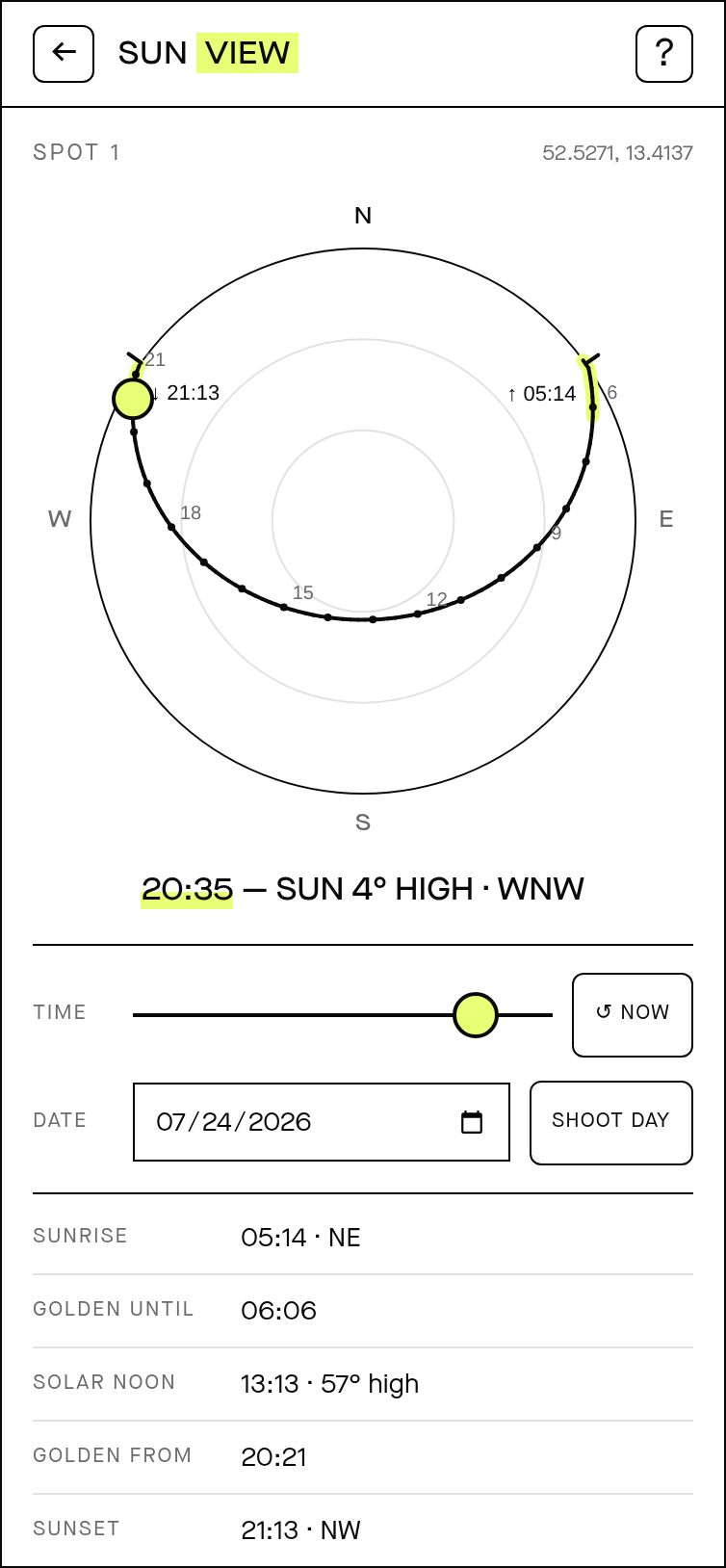
One dial per spot: the sun's whole path drawn from GPS and time, with sunrise and sunset marked on the horizon, the golden-hour band picked out at both ends of the day, and the sun's elevation and compass bearing at any moment you scrub to.
Pick any date, drag the time, or tap Shoot Day to jump straight to the booked date. The readout updates as you go.
Spot 1 · 52.5271, 13.4137
The exact readout under the dial, for the date you set.
In the field · AR preview
Point your phone. See where the sun will be.
Hold the phone up at the spot and the camera preview traces the sun's arc straight over the live frame: where it clears that ridge, where it crosses, where it drops behind the building.
Scrub to the shoot hour to see the exact angle. Capture a frame and Sun View can burn the time, bearing and elevation into the corner, so the reference still reads months later.
Illustration: the AR view draws the path over your live camera. It is a diagram, not a screenshot.
The difference
Your client never opens a sun app. They still get the sun.
Every sun app stops at your screen. Sun View writes the answer into the thing you actually send: every spot, in every report and every PDF, carries its own sun rows.
No login, no app, nothing to install. The client just reads it.
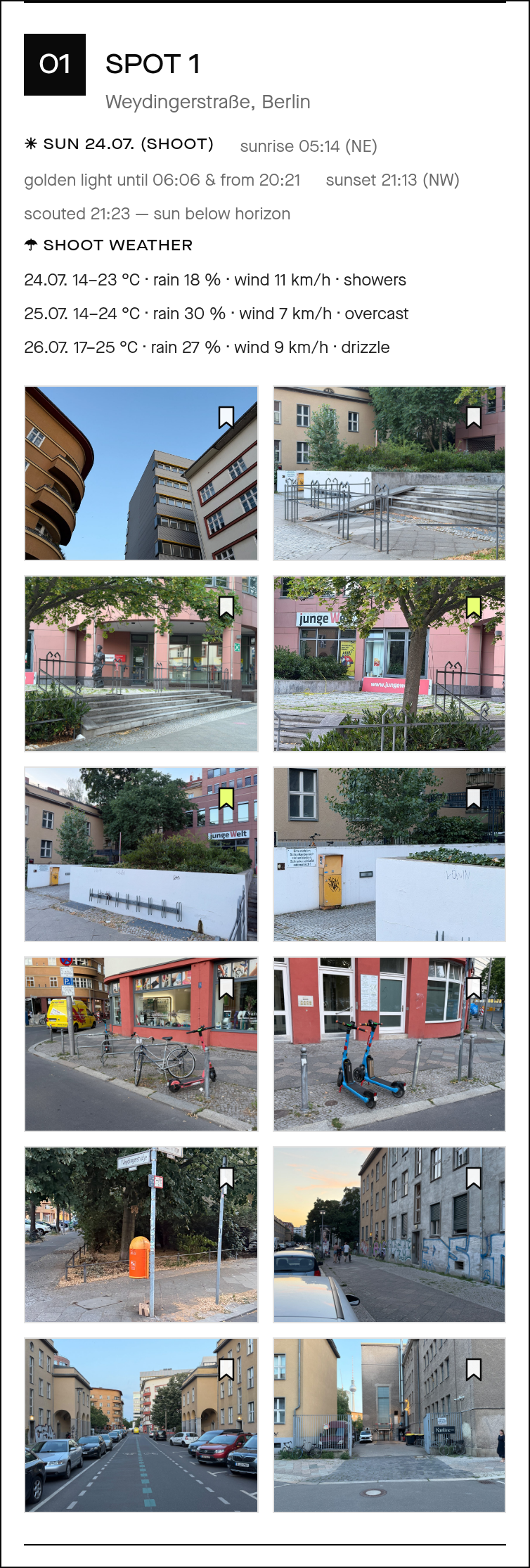
The sun rows sit at the top of every spot in the report.
On the recce
Schedule the crew to the light.
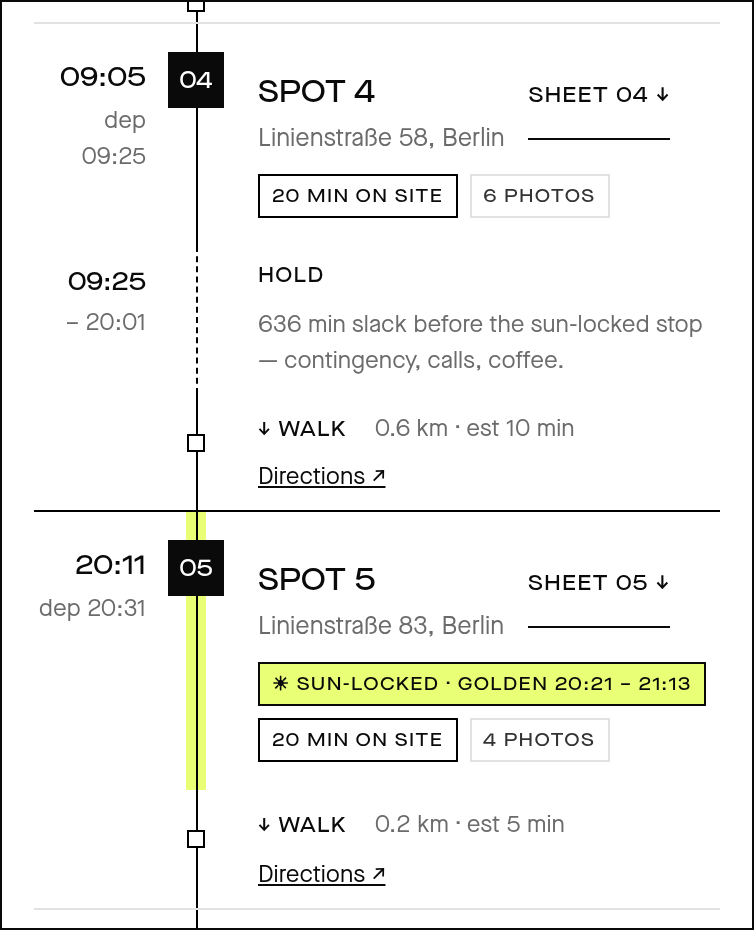
The recce rail locks the sun-critical stop to its golden window and holds the crew until then. The HOLD segment is the slack spelled out (contingency, calls, coffee), not a guess scribbled on the back of a call sheet.
Every stop sheet carries the same sun line, so the gaffer reads it off the call sheet instead of a weather app.
The forecast
Sun and weather, one timeline.
An Open-Meteo forecast for the shoot window rides on the same page as the sun: on the report and on the recce. Temperature, rain chance, wind and conditions, day by day, so nobody's toggling between apps the night before.
Shoot-weather rows, exactly as they appear on the report and the recce for the booked dates.
Who it's for
Deliverable-first, for the whole call sheet.
Scouts
Prove a spot's light inside the report you're already sending: no extra deck, no phone screenshots.
Producers
Read the golden window straight off the call sheet, and schedule the day around the one stop that can't move.
DPs
See the exact bearing and elevation for the shoot hour before the truck rolls, and the AR view on site to confirm it.
Ship the light with the job.
Sun View comes switched on with PLUSH SCOUT. Get on the list and put golden hour in your next report.